Yacht charter website in Masuria: fleet and bookings
A charter company website in Masuria: yacht pages, seasonal prices, availability calendar, security deposit, skipper, advance payment and a German version. Winter list.
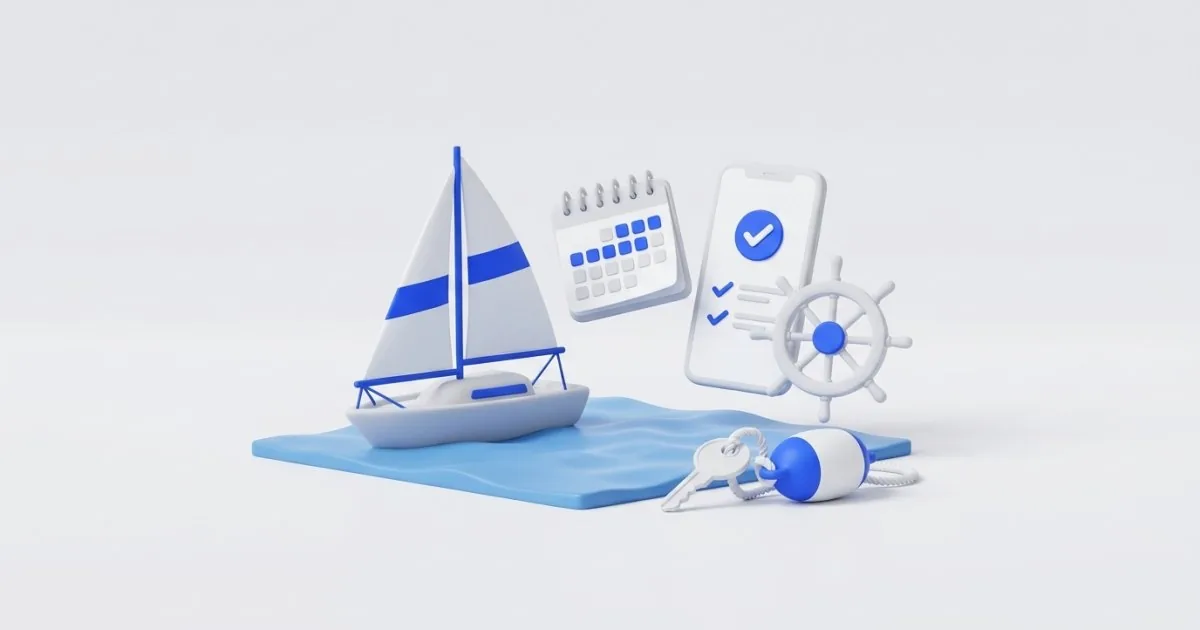
For Masuria, the season starts in customers’ minds much earlier than at the marina. People plan their sailing trip in winter, compare offers and book dates they already know: most often July or August. If your website is only ready in spring, some customers book with your competitors.
I’m writing this guide for the owner of a charter company in Giżycko, Mikołajki or Ryn. I’ll show what should be on the website: the fleet, the price list, the calendar, the security deposit, the skipper, booking with an advance payment and a version for guests from abroad. At the end you’ll find a winter checklist so you’re ready in time for the 2027 season.
The fleet: a page for every yacht
Customers don’t buy “a yacht”, they buy a specific trip for a specific crew. That’s why each yacht should have its own subpage, not one table on the home page.
On the yacht page, include:
- name, model and year,
- number of berths and number of cabins,
- length and beam,
- equipment: toilet, shower, stove, fridge, engine, heating,
- deck plan and a few photos of the interior, cockpit and cabins,
- price per week and for a shorter period, if you offer one,
- a “Check dates” button that leads to that yacht’s calendar.
Take photos in daylight, outside and inside, ideally when the yacht is moored at the marina rather than on the slipway. Caption them specifically (“cockpit with a large table”, “bow cabin”). If equipment differs between seasons, say so plainly.
A seasonal price list readable in 10 seconds
In chartering, the price depends on the dates. Customers want to see it right away, without writing an email.
The simplest way is a table where the rows are yachts and the columns are price periods:
| Yacht | Pre-season | Season | Peak (summer holidays) | Post-season |
|---|---|---|---|---|
| Yacht A (6 people) | price | price | price | price |
| Yacht B (8 people) | price | price | price | price |
Next to the table, write when each period starts and ends and what’s included in the price: bed linen, safety equipment, fuel, final cleaning, harbor fees. This is what customers look for most often. If something is paid separately, list it as a separate item.
The availability calendar: the most important element
Most customers ask the question “is this yacht free in the last week of July?”. If the answer is on the website, you don’t have to answer the phone, and the customer doesn’t keep looking elsewhere.
A good calendar:
- shows each yacht separately, with a status of free, booked or provisionally blocked,
- has fixed crew changeover days (e.g., Saturday to Saturday), if that’s how you work,
- works on a phone, because most guests browse dates on their mobile,
- updates by itself after a booking, including one taken by phone.
The biggest risk is a double booking: someone books through the website while another customer calls. That’s why one calendar should feed both the website and the panel where you enter manual bookings. If the calendar is updated manually, write “as of …” next to it. It’s less convenient, but honest.
I build systems like this as part of the online bookings service: a calendar with live availability, payment, confirmations and a panel for your business.
Booking with an advance payment, step by step
A method that works well for charters: the customer chooses a yacht and dates, leaves their details and pays an advance, then pays the rest before the yacht is handed over.
The booking form should include:
- the yacht, the dates and the number of people,
- the details of the person signing the contract, phone and email,
- optional extras: skipper, additional equipment, parking,
- consent to the terms and conditions and information on data processing,
- the advance payment amount and the deadline for the balance, visible before the customer clicks the “Book and pay” button (Art. 17 of the ustawa o prawach konsumenta, Poland’s Consumer Rights Act, requires the button to state clearly that it involves an obligation to pay).
After payment, the customer gets a confirmation email: booking number, yacht, dates, advance amount, remaining amount, and the place and time of handover. A text message reminder a week before the trip is also useful. I connect online payments in the online payments service: PayU, Przelewy24, BLIK (the Polish mobile payment system) and Stripe, with email confirmations.
Set the advance amount and the refund and cancellation rules in the charter terms and conditions. It’s worth checking their wording with a lawyer, because this is the most common source of disputes.
Security deposit, skipper and extras
These three elements generate the most questions, so describe them on a separate subpage or in an FAQ section:
- Security deposit: how much it is, when the customer pays it, how and when you return it, and what may be deducted. Write it in plain language, ideally with an example.
- Skipper: when one is available, how much it costs per day and what’s included. Add a sentence on who is responsible for the yacht when the customer sails with a skipper.
- Extras: bed linen, towels, kayak, bicycle, luggage cart, pets on board. Give a price for each.
If a license is needed to sail your yachts, put brief, clear information on the website about when it’s required and what to do if the customer doesn’t have one (e.g., hire a skipper). Before you publish it, base this information on current regulations (the ustawa o żegludze śródlądowej, Poland’s Inland Navigation Act, and the rozporządzenie w sprawie uprawiania turystyki wodnej, the regulation on water tourism).
German and English versions
Guests from abroad also come to Masuria, most often from Germany. A separate language version isn’t decoration but a second source of bookings.
What should be translated:
- yacht pages, the price list, the security deposit and the terms and conditions,
- the booking form and confirmation emails,
- directions to the marina and handover times,
- separate URLs for each language, so that Google can show the right version.
In the multilingual websites service I build a language switcher, separate URLs with hreflang and AI translations reviewed by a human. For a charter company, it’s worth having the German text read by someone who knows sailing terminology.
Reviews and visibility on Google
A customer deciding between two charter companies looks at the reviews. Collect them after every trip, from all customers, and don’t offer rewards. I describe how to do this in the guide how to get Google reviews.
Complete your Google Business Profile with:
- the marina address and directions,
- an accurate primary category chosen from the list in the panel,
- photos of the fleet and the marina,
- a booking link,
- in-season and off-season hours.
I help with this in the Google Business Profile service. If you first want to check what the competition from Giżycko or Mikołajki looks like, use the free competitor audit: you’ll see the Maps ranking, ratings and number of reviews.
A winter plan before the 2027 season
Bookings for the season start in winter, so work in this order:
- November: collect photos, yacht specifications and the 2027 price list.
- December: set the terms and conditions, security deposit, advance payment rules and skipper rules.
- January: launch the website with the calendar, payment and language versions.
- February: test a booking on a phone, send a test payment and check the emails.
- Before and during the season: collect reviews, keep your Business Profile up to date and check that the calendar is current.
Test the whole process the way a customer will: open the site on a phone, choose a yacht, book dates and pay a test amount. Also check that the booking blocked the dates in the calendar.
Summary
Above all, a charter website must answer three questions: what yachts do you have, how much do they cost, and are they free on my dates. The rest, meaning the security deposit, skipper, German version and reviews, shortens the path to a booking and reduces the number of phone calls.
If you want a ready website before the 2027 season, write to me. I’ll prepare a quote within 24 hours, and you can check approximate prices on the pricing page. You can also start with the free Check your website tool to see what works on your website today.
Frequently asked questions
It doesn’t have to be, but it greatly shortens the path to a booking. The customer sees free dates without calling, and you don’t have to answer dozens of questions about the same week. If the calendar is updated manually, show the date of the last update.
Ideally before winter, because that’s exactly when many people plan their vacation and compare offers. A website built in April misses the best booking period. It’s worth leaving the first weeks for testing and fixes.
For charters, an advance payment is usually taken, with the rest paid before the yacht is handed over. Set the amount and deadlines in the terms and conditions and show them before the customer clicks the “Book and pay” button. Check the details of the wording with a lawyer.
It doesn’t have to be, but Masuria is a popular choice for guests from Germany. What counts is a separate version with a translated price list, terms and conditions and security deposit description, not just a button for in-browser translation.
Customers will ask about this before booking, so it’s worth having a separate section on it. Base the content on current regulations and your own charter policy. I deliberately don’t give these requirements in this guide.
Related services
Have a similar project?
Describe what you need and I’ll send a quote within 24 hours. New clients get 20% off their first project.